
Pay with your card using Apple Wallet™
Introducing Apple Pay

Your easy, secure digital wallet
Contactless payments
Myandbank uses the NFC technology on your devices to enable you to make contactless payments using Apple Pay.
Secure purchases
When you pay with your debit or credit card, Apple Pay never shares your card’s actual details with the vendor.
Real-time transactions
Apple Pay makes it easy for you to pay directly and instantly with your Myandbank account.
Apple protection
Apple Pay has been designed with robust security measures that continuously and automatically protect your account and personal data.
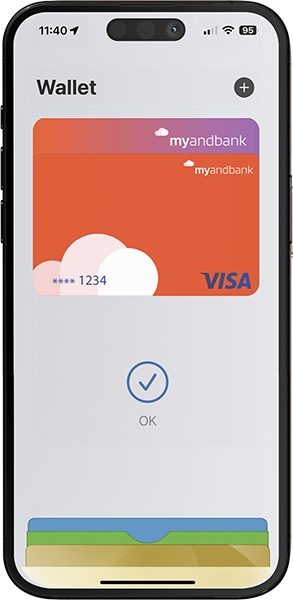
How do I add a Myandbank card to Apple Wallet™?
- Open the Wallet app on your device
- Select Add card
- Follow the instructions on the screen: you’ll be asked to scan and enter your card details.
Where can I use Apple Pay?
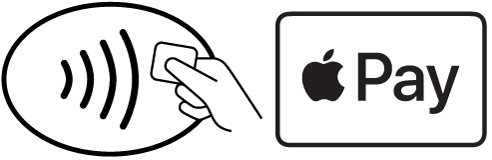
Where these symbols appear
Apple Pay in shops
Activate the NFC technology on your Apple device. Apple Pay works anywhere you see the Apple Pay or contactless card symbol.
Apple Pay in apps
Make payments in apps and online using your Apple device. When it’s time to pay, simply select Apple Pay as the payment method and confirm using Touch ID.
Apple Pay on Safari
It’s easy to make payments through Safari on your Mac. When it’s time to pay, select Apple Pay and complete the purchase using your Apple device. Apple, Apple Pay, Apple Wallet, iPhone and Mac are registered trademarks of Apple Inc.
Do you have any questions?
Do I need to validate my user account with a verification method to use Apple Pay?
Yes, when you associate a card with Apple Pay, you’ll receive an OTP verification code that you’ll need to enter in Apple Wallet. Remember that this code is unique and you should not share it with anyone.
On which devices can I use Apple Pay?
You can pay in shops with XS model iPhones (iOS version 17) and later models. With Apple Watch, Series 4 (WatchOS version 10) and later models in combination with iPhone XS and later models. Plus, you can add your cards to iPad and Mac devices to make online payments with macOS version 14.0 and later versions.
What happens if my phone is lost or stolen?
If you have Find My Device enabled, you can suspend Apple Pay by putting your device in Lost Mode, instead of immediately cancelling your cards. If you find your device, you can reactivate Apple Pay. You can also go to your Apple ID page to remove the option to make payments. Remotely erasing your device using Find My Device also removes the ability to pay with cards you were using with Apple Pay.
Is there a cost for using Apple Pay?
The Apple Pay service is free. Depending on your mobile plan, data usage charges may apply.
Are there limits to the amount I can pay with Apple Pay?
There are no limits set by Apple Pay, but transactions are subject to the limits of the linked card.
Can I use Apple Pay abroad?
Yes, Apple Pay can be used in any store where contactless payments are accepted.
Do I need an Internet connection to make payments?
No, you do not need an Internet connection to pay in physical stores.
If I receive a new card because I cancelled the previous one, do I have to register it again in Apple Pay?
Yes, if you receive a card because you cancelled your previous one, the card will not automatically be replaced with the new one in Apple Wallet. You’ll need to remove the previous card from Apple Wallet and register the new one in order to use it.
What should I do if I buy a new mobile phone?
If you buy a new iPhone or Apple Watch, you’ll have to link your cards again, adding the three-digit CVV and confirming it using the code we send you.
How can I pay with an iPhone in physical stores?
For iPhone XS or superior models, double-click the side button and authorise the payment with Face ID. You can also authorise it using the unlock code.


.png)

